
How to manage multiple businesses from one account?
In order to manage multiple businesses from one account, Middesk users will make use of the Entities page, which can be accessed via the lefthand dropdown menu, as seen in the screenshot below.
*Please Note: any entities managed under a single Middesk account will share the same payment method, as only on payment method can be tied to a Middesk account at a given time
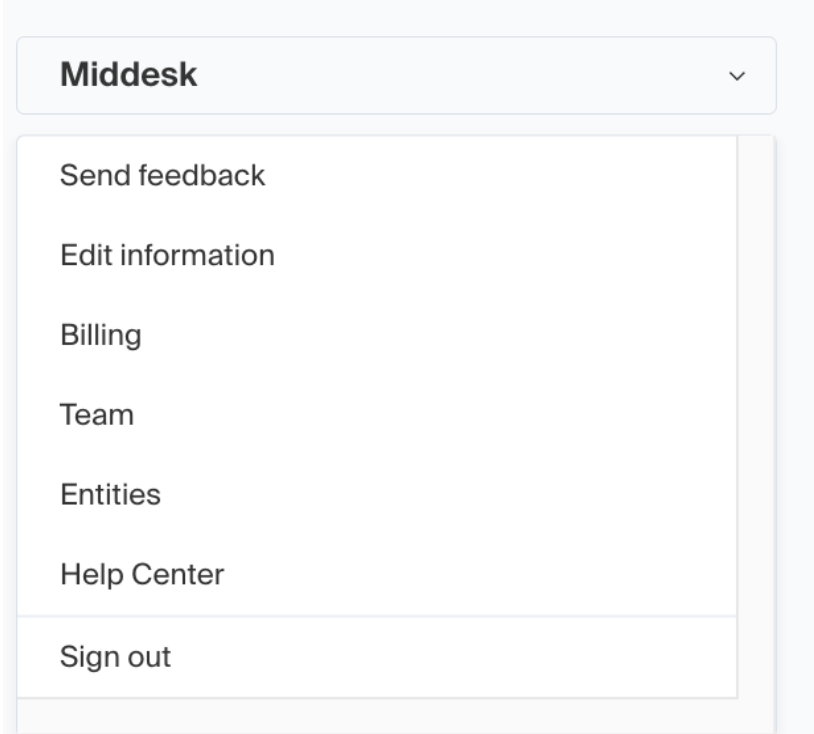
Once the Entities page is selected, you’ll be brought to the page where all managed businesses will be displayed, and in the top right corner of the page there will be a button labeled “Add entity”.
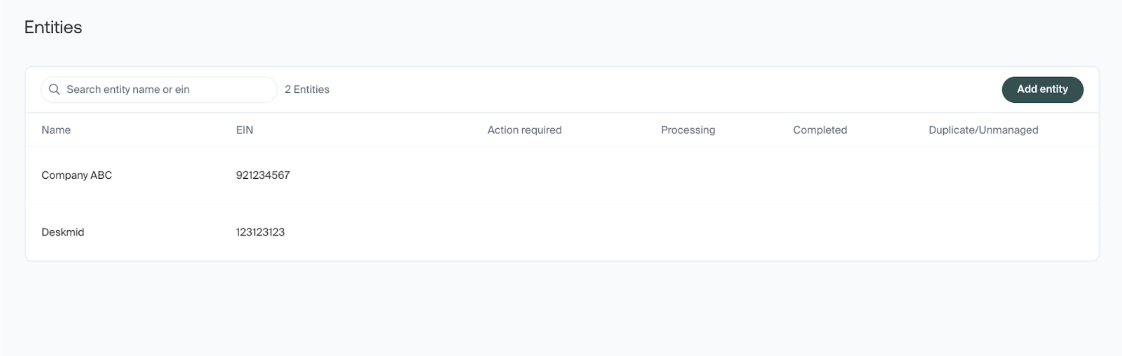
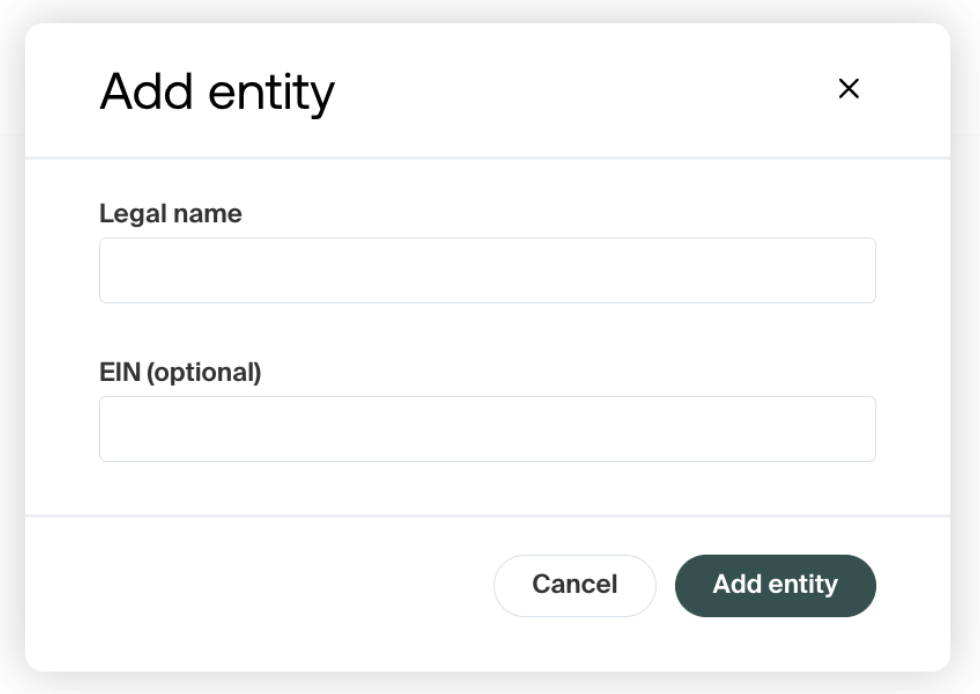
From there, you will be presented with a window that prompts you to enter in both the FEIN and legal business name of the new business entity that you are adding. Once this process is completed, the business will be added to your Middesk account and display on the Entities page.
Whenever a new registration is needed, or review is required for a business, the ability to use the entity page allows for a streamlined workflow from one Middesk account. Should you have any further questions on managing multiple entities from one Middesk account, you can reach out to our support team at agent@middesk.com who would be happy to help!