
How to update your primary business address
Edited
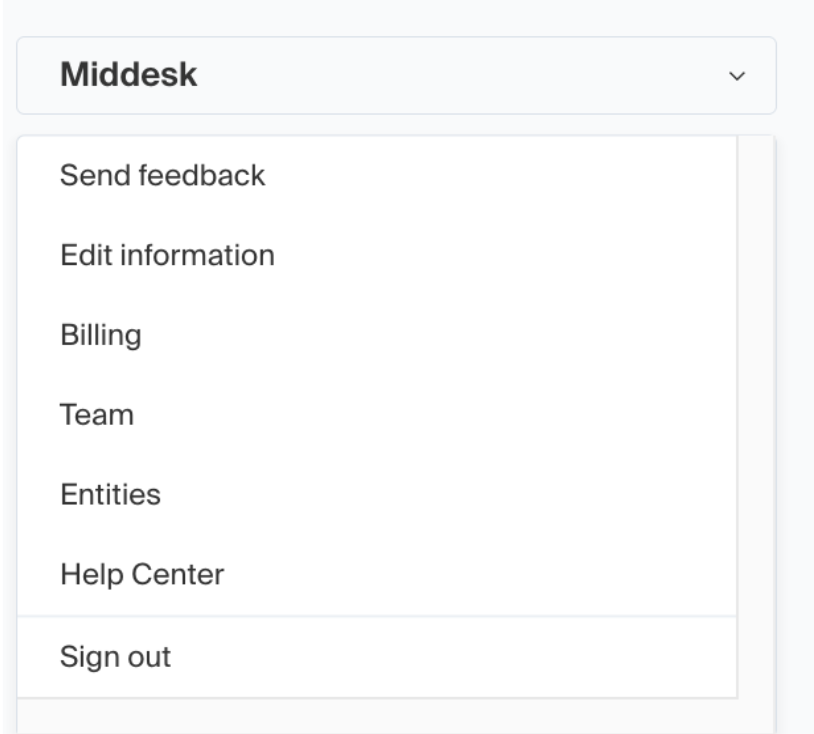
To update your business’s primary address, you can do so by logging into your Middesk dashboard at agent.middesk.com and then navigating to the “Edit information” section, which can be found via the left hand drop-down menu that displays when clicking on the business name.
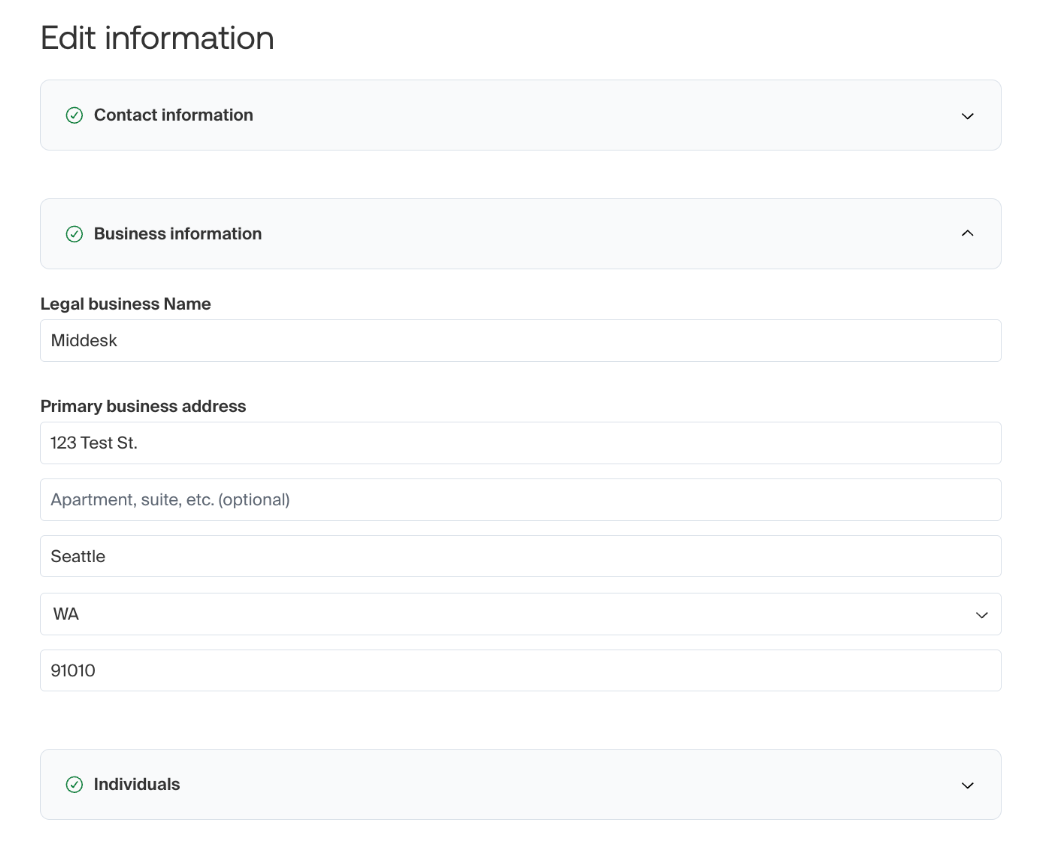
From there, you can click on the “Business information” drop-down menu which will allow you to view and edit the legal business name and primary address. Once this has been updated, you can save your changes using the button at the bottom of the page.
Was this article helpful?
Sorry about that! Care to tell us more?