
Where do I find my registration information?
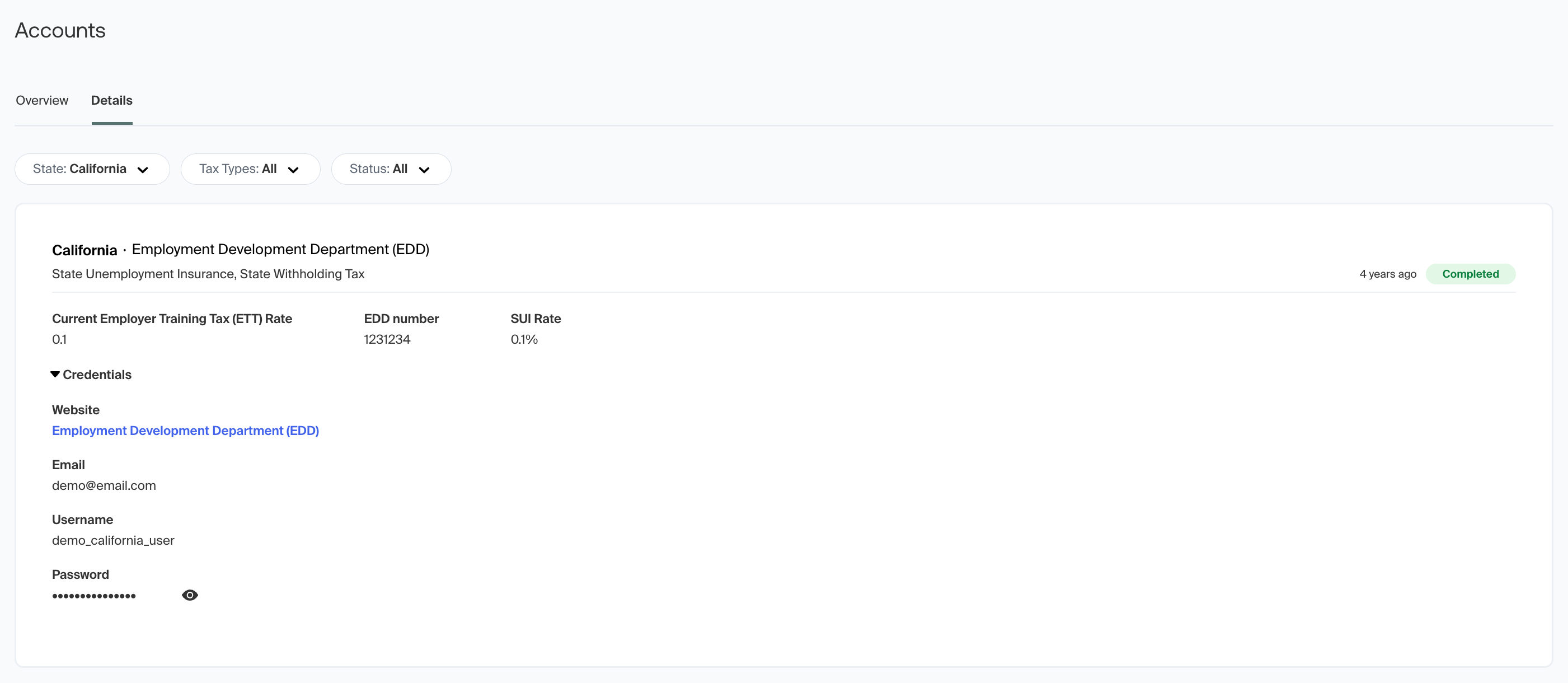
To find tax details or account information for a specific state, you’ll find this under the ‘Accounts’ section of the dashboard, and then listed under the specific state. Alternatively, from the main dashboard view, you can click on the abbreviated state icon to navigate directly to the relevant state account page.
Here you will find the tax IDs, account credentials, and current status of the registration if it’s still processing. If you’re reviewing a registration for which we create an agency tax account, you’ll find the log-in credentials under the “Credentials” drop-down menu, as seen in the example screenshot below:
Should you have any questions about your registration details or account information, please reach out to our support team at agent@middesk.com.