
How do I mark an officer as a director on my registration?
Edited
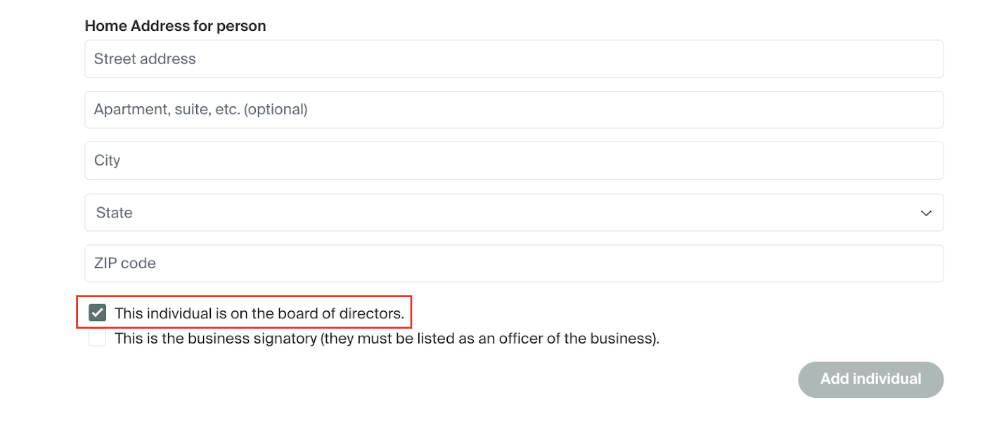
In order to designate a member of the board of directors on a registration that you're currently working on, you will start by editing the details of an officer, or entering in a new officer.
From there, you will scroll to the bottom of the page, as pictured below, to find a checkbox that, if selected, will designate the officer as a director. This will be located below the address section, and be next to where you mark a signatory.
Was this article helpful?
Sorry about that! Care to tell us more?